Ever plugged in a cable only to flip it twice in frustration? The right charger type eliminates that chaos, ensuring seamless power for your devices. In a market flooded with options-from enduring USB Type-A and versatile USB Type-C to Apple’s Lightning, Micro-USB, wireless Qi, and MagSafe-this guide explores their strengths, flaws, and futures. Discover which suits your needs and what’s next for charging tech.
What devices still use it?
_1.jpeg "Ultimate Guide to Charger Types: USB-C vs Lightning 2")
Ask yourself: does your fitness tracker, Bluetooth speaker, or older game controller have this port? Many everyday gadgets rely on the micro USB charger despite newer standards. These ports remain common in budget and legacy devices.
Gaming controllers often feature micro USB for charging. PlayStation 4 DualShock controllers and some Xbox One pads use this charging port. They connect easily to a USB-A charger or power bank.
External hard drives and portable storage from brands like Seagate fit this category too. Older Kindle models, such as the Kindle Paperwhite from several generations back, depend on micro USB cables. Wireless mice from Logitech, like certain MX series, also use these connectors.
- Fitness trackers: Devices like older Fitbit models charge via micro USB.
- Bluetooth speakers: JBL Flip series and Anker Soundcore units often include this port.
- Smartwatches: Some budget Android Wear watches stick with micro USB chargers.
- Tablets and e-readers: Amazon Fire tablets and specific Kindle Voyage editions.
Check your device’s manual or port shape to confirm. A micro USB charging cable works with most of these, often supporting quick charge up to 18W for faster sessions.
Why is it being phased out?
The writing was on the wall back in 2014 when USB-IF announced USB Type-C development. This marked the start of a shift away from USB-A chargers and older ports like micro USB. The new USB-C charger promised faster speeds and better compatibility.
By 2018, major players like Apple began adopting USB-C for devices such as MacBooks and iPads. Android brands followed with Type-C charger standards in phones and tablets. Industry announcements pushed for universal adoption to reduce e-waste from varied charging cables and adapters.
Regulatory pressure built in 2022 when the European Union mandated USB-C mandates for all small electronics by 2024. This timeline forced a 10-year transition from USB-A dominance to USB-C as the standard charging port. Manufacturers now prioritize PD chargers and reversible connectors.
Today, expect most new smartphones, laptops, and even some power banks to drop USB-A support. Users benefit from fewer cable types, like switching to a single USB-C cable for iPhone and Android chargers. This simplifies travel with universal wall chargers and car chargers.
Suggested read: Silver Charger Plates: Frequently Asked Questions — Your Complete Guide to Buying, Using, and Caring for Them
What makes it reversible?
The secret lies in its completely symmetrical 24-pin connector design. This setup ensures the charging cable works seamlessly no matter which way you plug it in. Unlike older micro USB charger types that require specific orientation, this reversible connector eliminates guesswork.
Imagine a virtual cross-section view of the connector. Pins 1 through 12 on one side perfectly mirror pins 13 through 24 on the opposite side, creating true symmetry. This mirroring allows data and power signals to flow correctly in either direction without confusion.
Partial solutions like some Type-C charger variants only approximate reversibility with asymmetric pins. In contrast, the full 24-pin mirror setup supports high-speed charging such as PD charger protocols up to 120W. Users notice faster connections with devices like smartphones or power banks.
For everyday use, this means less wear on the charging port. Pair it with a braided cable for durability during travel. Experts recommend checking pin alignment visually to confirm compatibility with your USB-C charger or laptop charger.
Which phones mandate it now?
By December 2024, EU regulations require all new smartphones to use USB-C. This shift ends the era of varied charger types like Lightning and micro USB. Manufacturers now prioritize USB-C chargers for compatibility across devices.
Samsung led with the Galaxy S21 series in 2021, dropping Lightning charger alternatives. Google followed suit on Pixel 6 and later models, embracing Type-C chargers. Apple joined in with all iPhone 15 and newer devices, standardizing the charging port.
Other brands like Huawei and Xiaomi adopted USB-C chargers earlier on flagships. This timeline ensures universal chargers work with most phones. Check your model’s charging adapter for seamless transitions.
| Manufacturer | Adoption Model/Year | Regulatory Deadline |
|---|---|---|
| Samsung | Galaxy S21 (2021) | EU: Dec 2024 |
| Pixel 6+ (2021) | EU: Dec 2024 | |
| Apple | iPhone 15+ (2023) | EU: Dec 2024 |
| Huawei | P series (2018+) | EU: Dec 2024 |
| Xiaomi | Mi 11+ (2021) | EU: Dec 2024 |
Use this chart to verify your phone’s USB-C compliance. Opt for PD chargers or quick charge adapters for faster speeds on these models. Always match wattage to avoid battery issues.
Is it dying with EU regulations?
Yes, iPhone 15 marked the end of Lightning charger for new iPhones in compliant markets. Apple announced the switch to USB-C charger ports with the iPhone 15 series in September 2023. This move aligned with EU rules mandating a common charger type by late 2024.
Apple’s transition involved a clear timeline for EU compliance. New iPhones sold in Europe adopted USB-C immediately, while Lightning lingered in non-EU regions initially. Supply chains shifted to produce USB-C charging cables and power adapters at scale.
The company adjusted its accessory ecosystem by pivoting to USB-C options like MagSafe-compatible wireless chargers and multi-port GaN chargers. Older Lightning accessories remain supported via adapters, but Apple now emphasizes Type-C charger universality for iPhones, iPads, and Macs. This reduces e-waste from mismatched charging ports.
Suggested read: A Step-by-Step Guide to Creating Your Own Automated Charging Point
Practical impacts include easier compatibility with PD charger standards for faster charging speeds up to 20W on iPhones. Users benefit from universal charging cables that work across Apple and Android devices. Experts recommend stocking reversible connector USB-C cables for travel and daily use.
Why did Apple stick with it so long?
Apple maintained strict quality control through the MFi program for 11 years. This ensured Lightning chargers met high standards for safety and performance. It prevented issues common with generic cables.
Many think Lightning persisted only due to proprietary lock-in, but that’s a myth. Apple prioritized reliable charging across devices like iPhones and AirPods. The ecosystem allowed seamless integration with power adapters and power banks.
Another misconception is that Lightning lacked speed. In reality, it supported fast charging up to 20W with PD chargers. Users enjoyed consistent wattage without the variability of third-party options.
- Myth: All non-MFi cables work fine. Reality: MFi certification cut failures from poor connections and overheating.
- Myth: Lightning was outdated tech. Reality: It offered durable, reversible connectors better than some micro USB chargers.
- Myth: No ecosystem benefits. Reality: Lightning enabled accessories like MagSafe chargers and car chargers with precise fit.
- Myth: Quality was no better than USB-C. Reality: Strict testing reduced risks in wall chargers and portable chargers.
- Myth: Switching early would save money. Reality: Long-term reliability outweighed short-term costs for battery life.
These factors show Apple’s choice focused on user safety and compatibility. Lightning chargers, from 5W to 30W models, delivered stable voltage and amperage for daily use.
Where do you still find it?
Bluetooth earbuds, fitness trackers, and $50 Android phones keep it alive. The micro USB charger lingers in older gadgets around the home. Many devices still rely on this charger type for basic power needs.
Game controllers from past console generations often use micro USB chargers. Kids’ toys and remote-controlled cars frequently have micro USB ports. Even some portable speakers hide this connection.
Take a quick inventory with this 5-minute checklist. Check drawers for old USB chargers, scan shelves for controllers, and peek at toy boxes. Note any Bluetooth earbuds or trackers plugged into micro USB cables.
- Grab a bag and walk through your home in under five minutes.
- Collect all micro USB chargers, cables, and devices like old phones or fitness bands.
- Inspect charging ports on toys, controllers, and earbuds.
- List items ready for upgrades to USB-C chargers or wireless chargers.
Once inventoried, upgrade paths are simple. Swap micro USB chargers for Type-C chargers on newer Android phones. Switch fitness trackers to Qi chargers for cable-free convenience.
What’s wrong with its design?
That trapezoidal shape guarantees 50/50 insertion failure every time. The 5-pin asymmetric design of the Lightning charger forces users to flip the cable repeatedly, leading to frustration during quick charges with a wall charger or car charger. This outdated approach contrasts sharply with the reversible connector of USB-C.
The Lightning charger’s mechanical stress builds up from constant flipping, wearing down the charging port over time. Inserting it wrong applies uneven pressure on the pins, which can loosen connections in devices like iPhones. In contrast, USB-C’s 24-pin symmetry distributes force evenly, reducing long-term damage.
Suggested read: The Ultimate Manual for Advancing Automatic Charging Systems
Experts recommend analyzing insertion force studies, which highlight how Lightning’s design requires higher effort compared to USB-C. This makes it prone to user error, especially in low-light conditions with a portable charger. Switching to a Type-C charger eliminates these issues for smoother daily use.
Real-world examples show Lightning cables fraying faster near the connector due to repeated mishandling. USB-C’s robust build supports higher wattage like 20W or 30W without added stress, ideal for fast charger needs on Android devices or laptops. Overall, the asymmetric flaws make Lightning less reliable than modern USB-C charger options.
Qi standard explained
Qi uses electromagnetic induction through copper coils in both pad and device. This Qi charger standard allows wireless power transfer without physical connections. Devices align automatically for efficient charging.
Certified Qi chargers meet strict requirements from the Wireless Power Consortium. They ensure safe operation with limits on heat and power levels. Look for the Qi logo on pads and compatible smartphones.
Proprietary standards like Apple’s MagSafe or Samsung Adaptive Fast Wireless offer faster speeds but limit interoperability. Qi works across brands, while proprietary ones often require specific wireless pads. This makes Qi ideal for mixed-device households.
| Standard | Certification | Interoperability | Max Speed Example |
|---|---|---|---|
| Qi | Wireless Power Consortium | Multi-brand | 15W |
| MagSafe | Apple certified | Apple devices | 15W magnetic |
| Adaptive Fast Wireless | Samsung proprietary | Samsung Galaxy | Up to 25W |
Use a Qi charger for everyday needs like topping up an iPhone or Android phone overnight. Pair it with a GaN charger for compact travel. Avoid mixing proprietary chargers to prevent slow or failed charging sessions.
Speed vs. heat issues?
_2.jpeg "Ultimate Guide to Charger Types: USB-C vs Lightning 3")
Wireless sacrifices 30-40% efficiency for convenience. Heat is the price. A Qi charger or MagSafe charger generates more warmth than a wired USB-C charger due to energy loss in the air gap.
Start with your priorities. If you prioritize speed over heat, choose higher wattage like 15W wireless. Heat-sensitive users should stick to 7.5W or 10W options to keep devices cooler during charges.
Consider case thickness next. Thick cases block efficiency, raising heat on a wireless pad. Thin cases under 3mm work best with fast chargers like 15W Qi.
- Tolerate moderate heat and want speed? Go 15W MagSafe charger for iPhones, pairs well with thin cases.
- Heat-sensitive with thick case? Pick 7.5W Qi charger, avoids overheating on Android phones.
- Balanced needs? Use 10W wireless stand, good for tablets with medium cases.
Test in real scenarios. A thick OtterBox case on a 15W pad slows charging and warms the battery. Switch to a slim case or lower wattage PD charger wired for better control.
Suggested read: The Complete Guide to Tyler Tech Software for Public Sector Success
How does it improve alignment?
Rare-earth magnets create perfect coil-to-coil alignment every time. MagSafe uses an 18-magnet ring array arranged in a precise circle around the charging coil. This setup pulls the iPhone’s built-in magnets into exact position over the MagSafe charger.
Standard Qi chargers rely on loose placement with no guidance. Users often shift their phone multiple times to find the sweet spot. MagSafe eliminates this by snapping the device down firmly, ensuring the coils overlap completely.
The magnet ring positions the wireless charger coil dead-center against the phone’s receiver coil. This contrasts with Qi’s typical tolerance of several millimeters off-center, which cuts efficiency. Experts recommend magnetic alignment for consistent charging speed in real-world use.
| Feature | MagSafe | Standard Qi |
|---|---|---|
| Magnet Count | 18 rare-earth | None |
| Alignment Tolerance | Precise snap-fit | Manual adjustment needed |
| Coil Positioning | Centered ring array | Free placement |
In practice, try charging an iPhone on a car charger mount. MagSafe holds steady during drives, unlike Qi pads where bumps misalign coils and slow Power Delivery. This makes it ideal for hands-free navigation or desk setups.
Compatible with non-Apple devices?
Qi2 now brings MagSafe tech to Android, but with limitations. This standard adds magnetic alignment to wireless chargers, making it easier to snap devices into place. Android users can enjoy similar convenience without Apple’s proprietary setup.
However, magnet strength varies across options. MagSafe offers the strongest hold for iPhones, while Qi2 on Android matches it closely in certified chargers. Magnetic cases for Android provide a budget alternative, though they often weaken over time.
Charging speed differs too. MagSafe hits up to 15W on iPhones, Qi2 aims for the same on supported Androids like recent Samsung models, but many phones cap at lower Qi charger speeds. Always check your device’s max wattage for best results.
The accessory ecosystem for Android lags behind Apple. Fewer stands and mounts exist for Qi2, but magnetic cases expand options with third-party wallets and grips. Pick based on your phone model for seamless use.
| Feature | MagSafe (Apple) | Qi2 (Android) | Magnetic Cases (Android) |
|---|---|---|---|
| Magnet Strength | Strongest native pull | Matches MagSafe in certified pads | Good initially, may fade |
| Speed Limitations | Up to 15W on iPhone | Up to 15W on compatible Androids | Depends on case and wireless charger, often 10W max |
| Accessory Ecosystem | Vast Apple-specific stands, wallets | Growing, but limited to Qi2 devices | Wide third-party grips, budget options |
For Android, test magnetic charger alignment on your USB-C charger setup. Use a Qi2-certified pad for reliable charging speed, or add a magnetic case for flexibility with existing Qi chargers.
Versions and speed differences?
QC 3.0 delivers 18W. QC 5.0 negotiates up to 100W intelligently. These steps mark key advances in quick charge tech for USB chargers.
Earlier versions like QC 2.0 used fixed voltage jumps. Newer ones add smarter talks between charger type and device. This boosts charging speed while cutting heat.
Suggested read: The Definitive Guide to SP+Aff Charge Solutions in 2026
QC 4.0 improved safety with better voltage control. QC 5.0 adds dual power paths for QC charger and PD charger devices. Use a 65W charger for laptops or phones.
For Android charger users, match your Type-C charger to the protocol. Test with a multi-port charger to see real wattage gains on Samsung or Xiaomi phones.
| Version | Voltage Steps | Max Power | Key Improvement |
|---|---|---|---|
| QC 2.0 | 5V, 9V, 12V | 18W | Basic voltage jumps |
| QC 3.0 | 200mV increments 3.6-20V | 18W | Finer control, less heat |
| QC 4.0 | 3.3-20V with INOV/UVLO | 27W | Safety thresholds added |
| QC 5.0 | 3.3-20V, dual port | 100W | PD compatibility, high wattage |
This chart shows why each QC charger iteration wins. Higher amperage and efficiency curves mean faster fills for power bank or car charger. Pick based on your compatible devices.
Which Charger Type Suits Your Needs?
Your perfect charger type depends on three factors: device, speed needs, travel frequency. Start with your main device, like an iPhone or Android phone, to pick between Lightning charger or Type-C charger. Next, check wattage requirements for fast charging, such as 20W for basic or 65W for laptops.
Consider portability if you travel often. A GaN charger stays compact, while a power bank handles long trips without outlets. Use this simple 5-question guide to find your match.
Question 1: What device do you charge most? Smartphone points to USB-C charger or Lightning charger; laptops need PD charger.
Question 2: Do you need fast charging? Yes leads to QC charger, VOOC charger, or Power Delivery; no fits 5W charger. Question 3: Travel much? Pick foldable plug or multi-port charger. Question 4: One device or many? Go single port or dual port. Question 5: Budget or premium? Balance with overcharge protection features.
- Smartphone + fast + travel = 65W GaN travel charger.
- Laptop + high wattage + home = 100W PD wall charger.
- Multiple devices + basic = triple port USB charger.
Fastest for Android?
Xiaomi 14 Ultra hits 90W; OnePlus 12 negotiates 100W. These turbo charger speeds outpace standard QC charger or Power Delivery. Compare top three for real charging speed with popular models.
Xiaomi HyperCharge leads at 120W on Xiaomi 13 Pro. It fills from 0-100% quickest using proprietary charger with high amperage. Pair with braided cable for best results on flagships.
| Charger | Phone Model | 0-50% Time | 0-100% Time |
|---|---|---|---|
| Xiaomi HyperCharge 120W | Xiaomi 14 Ultra | ~10 min | ~20 min |
| OnePlus SUPERVOOC 100W | OnePlus 12 | ~12 min | ~25 min |
| Samsung 45W | Galaxy S24 Ultra | ~20 min | ~60 min |
OnePlus SUPERVOOC shines on OnePlus 11 with Warp Charge tech, balancing speed and heat via temperature control. Samsung 45W suits S23 series but lags in voltage peaks. Test with your charging port for compatibility.
Pick based on your Android: Xiaomi for max wattage, OnePlus for reliable SuperCharge, Samsung for broad USB-C charger use. Always use original charging adapter to avoid battery strain.
Suggested read: EV Charging Adapters: Your Essential Buying Guide for Compatible Electric Vehicle Charging in 2025
Best for Travel?
GaN technology shrinks 65W chargers to credit card size. These Gallium Nitride units run cool and pack multi-port options for phones, tablets, earbuds. Ideal for international adapter needs at 100-240V.
- Anker 735 Charger (65W): Triple port, foldable prongs, fits airline rules under 100Wh.
- Belkin BoostCharge 65W: Dual USB-C, 100-240V for global plugs, short circuit protection.
- RavPower Pioneer 65W: GaN II, slim charger design, charges laptop and phone together.
- UGREEN Nexode 100W: Four ports, compact charger with LED indicator, durable nylon cable.
- Satechi 108W: PD charger for MacBook, travel charger compliant with TSA, CE certified.
Pack smart: Slip into pocket sleeves, use reversible connector cables of 1-2ft length. Check input voltage 50/60Hz for outlets worldwide, add power bank for flights.
These beat bulky AC adapter bricks with overcharge protection and UL certified safety. For long trips, pair with detachable cable and avoid car charger clutter by choosing wall charger versatility.
Future of Charger Types?
USB-C wins cables. Wireless plus magnets conquer pads. GaN shrinks everything, making chargers more compact and efficient for daily use.
USB-IF roadmaps point to USB-C chargers dominating all cable-based charging. This shift means your iPhone charger, Android devices, and even laptops will rely on universal Type-C chargers with Power Delivery for faster speeds up to 240W.
Qi2 certification advances magnetic chargers like MagSafe, improving alignment and charging speed on wireless pads. Expect car chargers and wall chargers to integrate these for seamless device placement.
EU regulations expand mandates for unified ports, phasing out proprietary options like Lightning. Emerging standards such as AirFuel promise resonant wireless charging over distances, ideal for portable chargers and furniture-embedded solutions.
5-Year Prediction Timeline
In the next two years, USB-IF pushes USB 4.0 chargers with higher wattage for laptops and tablets. PD chargers become standard, supporting devices from smartphones to e-bikes.
By year three to four, Qi2 fully rolls out in wireless chargers, matching wired fast charging speeds. GaN chargers dominate with multi-port designs for travel, featuring foldable plugs and international adapters.
Within five years, AirFuel enables charger-free zones in homes and cars. Smart chargers with overcharge protection and temperature control integrate into ecosystems, extending battery life across charge cycles.
Key Drivers: Regulations and Standards
_3.jpeg "Ultimate Guide to Charger Types: USB-C vs Lightning 4")
Suggested read: Find Your Dream Dodge Charger Hellcat Redeye For Sale: Buyer's Guide
EU rules force USB-C universality on all new devices by 2025, ending the era of Lightning chargers and micro USB. This simplifies choices for universal chargers compatible with Apple, Samsung, and Huawei gadgets.
Qi2 certification boosts magnetic wireless pads, ensuring precise alignment for iPhones and Android phones. Pair it with GaN technology for slim, high-output 120W chargers that fit in pockets.
USB-IF roadmaps emphasize Power Delivery 3.1 for rapid charging across voltages. AirFuel emerges for non-contact options, perfect for dashboard chargers or vent mounts in vehicles.
Experts recommend preparing with reversible USB-C cables now. These support braided nylon builds for durability in car charger or power bank setups.
1. USB Type-A: The Classic Standard
Remember when every charger type had that distinctive rectangular USB Type-A plug that fit only one way? This flat, rigid connector dominated devices for years. Spot it easily on older wall chargers, power banks, and computer ports.
To identify USB Type-A ports on your devices, look for the rectangular shape about 12mm wide with metal contacts inside. Check the flat side without a flap, common on USB chargers for smartphones and tablets. Test by gently inserting a known USB-A charging cable, ensuring it slides in smoothly without force.
Testing compatibility with modern cables is simple: pair your USB Type-A charger with a USB-C or Lightning cable using adapters. Plug into a power bank or car charger and monitor charging speed on your device screen. If it charges slower than expected, consider upgrading to a Type-C charger for better performance.
Safely transition from USB Type-A with these steps. First, gather charging adapters like USB-A to USB-C. Then, replace old cables with braided cables for durability. Use the compatibility chart below to match your devices.
| Device Type | Recommended Adapter | Compatible Charger |
|---|---|---|
| iPhone | USB-A to Lightning | 18W PD adapter |
| Android | USB-A to USB-C | Quick Charge 3.0 |
| Laptop | USB-A to barrel | 65W GaN charger |
| Tablet | USB-A to micro USB | 30W wall charger |
Step-by-Step: Identifying USB Type-A Ports
Start by powering off your device for safety. Examine the charging port edges for the signature USB Type-A rectangle, often labeled with a trident icon. Compare it to photos of USB-C (oval) or micro USB (trapezoid) for confirmation.
Next, insert a USB-A charging cable gently. It should align without flipping, unlike reversible Type-C connectors. If it fits, note the USB 2.0 or USB 3.0 speed markings nearby for output details.
Check multi-port hubs or docking stations. USB Type-A ports cluster together, supporting 5W chargers to 20W chargers. Test with a portable charger to verify functionality.
Suggested read: Best 48V Battery Charger: Smart Buying Guide 2025
Testing Compatibility with Modern Cables
Grab a USB-C charging cable and a USB-A to USB-C adapter. Connect to your USB Type-A wall charger and plug into a smartphone charger port. Observe if the device shows charging, even at reduced wattage.
For Lightning chargers, use an official USB-A to Lightning adapter. Test on an iPhone with a 10W charger; it should draw power steadily. Avoid mixing untested third-party cables to prevent overcharge protection issues.
Monitor charging speed using built-in indicators or apps. USB Type-A often limits to 18W, slower than native PD chargers. If heat builds, unplug immediately.
Safely Transitioning Away: Adapter Recommendations
Begin replacing USB Type-A chargers with USB-C power adapters. Recommend GaN chargers for compact size and 65W output, ideal for laptops and phones. Keep one USB-A adapter for legacy devices like older earbuds chargers.
Opt for multi-port chargers with USB-A and USB-C options during transition. Choose models with short circuit protection and temperature control. Pair with nylon cables for longevity.
- Inventory your charging cables and ports.
- Purchase universal adapters for Lightning and USB-C.
- Test new setups on low-battery devices.
- Donate or recycle old USB Type-A power bricks.
2. USB Type-C: The Modern Universal King
Imagine plugging in your cable without flipping it over 17 times – that’s USB-C reality. The old frustration of mismatched orientations with micro USB chargers or Lightning chargers ends here. This reversible connector design makes every connection effortless.
The secret lies in its 24-pin symmetric design, which mirrors pins on both sides for instant recognition. No more guesswork with your Type-C charger; it works right side up or flipped. This revolutionizes daily use for smartphone chargers, tablet chargers, and even laptop chargers.
USB-C supports advanced protocols like Power Delivery (PD), enabling fast charging up to 100W or more for quick charge needs. Pair it with a GaN charger for compact power in wall chargers or power banks. It’s the universal charger king for Android, laptops, and accessories.
Choose USB-C chargers with overcharge protection and short circuit protection for safety. Real-world examples include charging an iPhone with a 20W PD charger or powering a MacBook via Thunderbolt charger. Its versatility beats proprietary options every time.
3. Lightning: Apple’s Proprietary Choice
Apple controlled 50% of premium smartphone charging for over a decade with Lightning. This proprietary connector defined the Lightning charger as a staple for iPhone users. It offered reliable performance in the Apple ecosystem.
Lightning persisted due to Apple’s tight control over hardware integration. The connector ensured consistent charging speed and data transfer across devices like iPhones and AirPods. Users benefited from seamless compatibility within the ecosystem.
Suggested read: 1966 Dodge Charger For Sale: Your Ultimate Buyer's Resource for This Iconic Muscle Car
MFi certification guaranteed quality and safety for third-party accessories. Certified cables and adapters prevented damage from poor builds. This built trust in the Lightning charger market.
Why Did Lightning Persist for So Long?
Q: Why did Apple stick with Lightning instead of switching earlier to USB-C?
A: Apple prioritized ecosystem control with Lightning. It allowed custom features like faster data sync and secure authentication. Switching too soon risked fragmenting user experience across older devices.
The proprietary design locked in accessories revenue through MFi certification. Third-party makers paid fees for approval, ensuring only vetted Lightning chargers worked optimally. This strategy delayed broader industry shifts.
Practical tip: For legacy iPhones, pair a certified Lightning charger with a 20W power adapter for reliable fast charging. Avoid uncertified cables to prevent overcharge protection issues.
What Are the Benefits of MFi Certification?
Q: How does MFi certification improve the Lightning experience?
A: MFi ensures Lightning chargers meet Apple’s standards for durability and performance. Certified products include built-in chips for authentication, enabling full charging speed up to 20W on compatible iPhones.
Benefits include short circuit protection and temperature control, reducing battery wear. Look for the MFi logo on charging cables to avoid fakes that slow charging or cause overheating.
- Compatible with all Lightning devices like iPhone, iPad, and AirPods.
- Supports Power Delivery protocols safely.
- Extends battery life through optimized charge cycles.
Expert advice: Invest in MFi-certified braided cables for daily use; they resist fraying better than standard ones.
Strategic Timing for Transitioning to USB-C
_4.jpeg "Ultimate Guide to Charger Types: USB-C vs Lightning 5")
Q: When should Apple ecosystem users switch from Lightning to USB-C?
Suggested read: Charging a Glass Mat Battery Safely: Complete AGM Charging Guide
A: Time the switch with iPhone 15 or later models, which dropped Lightning ports. Keep Lightning chargers for older devices like iPhone 14 or AirPods until fully upgraded.
Hybrid setups work well: Use a Lightning to USB-C adapter for shared USB-C chargers. This eases the shift without buying duplicates.
Pro tip: For travel, carry a multi-port charger with USB-C PD output and Lightning cables. It covers iPhone fast charging at 20W alongside Android Type-C chargers.
4. Micro-USB: The Budget Workhorse
Despite its flaws, micro-USB powered Android’s first golden age. This charger type remains popular for budget devices like older smartphones, earbuds, and power banks. Its affordability makes it a go-to for everyday charging needs.
Common in micro USB chargers, the connector supports basic charging speeds up to 2A with proper cables. Users often pair it with wall chargers or car chargers for reliable performance. However, avoiding mistakes ensures longer battery life.
Many overlook cable quality, leading to slow charging or failures. Experts recommend checking for amperage mismatches between charger and device. Proper habits prevent frustration with this versatile port.
Common Mistakes to Avoid
People make several critical errors with micro-USB that damage ports or slow charging. Recognizing these helps maintain device health. Here are seven to watch for, with prevention tips.
- Wrong insertion angle: Forcing the plug at an odd angle wears out the charging port. Always align the USB symbol upright and insert gently for a secure fit.
- Cheap cable failures: Low-quality charging cables fray or break quickly. Choose durable options like nylon-braided cables rated for 2A output.
- Amperage mismatches: Using a 1A charger on a device needing 2A causes slow charging. Match the output current listed on your power adapter.
- Overheating during use: Charging in hot cases triggers throttling. Remove cases and use chargers with temperature control for safety.
- Dirt buildup in ports: Dust blocks connections, leading to intermittent charging. Clean gently with compressed air or a soft brush weekly.
- Ignoring cable length limits: Long cables over 3 feet drop voltage. Stick to cable lengths under 6 feet for optimal wattage delivery.
- Mixing with incompatible chargers: Pairing with high-power USB-C chargers risks damage. Use only micro USB chargers certified for your device.
Following these strategies extends the life of your micro-USB setup. Test cables periodically by swapping with known good ones. This keeps your Android charger reliable for daily use.
5. Wireless Chargers: Cable-Free Convenience
Just drop your phone, no hunting for ports or cable orientation. Wireless chargers use electromagnetic induction to transfer power through the air. This charger type simplifies daily routines for smartphones and accessories.
Qi certification ensures compatibility across devices like iPhones and Android phones. Look for the Qi charger logo on products to avoid fakes. Popular options include MagSafe chargers for precise Apple alignment.
Charging speeds vary with Qi charger wattage, from basic 5W to fast 15W models. Place your device on the wireless pad or stand for steady power delivery. Experts recommend flat surfaces to prevent wobbling during use.
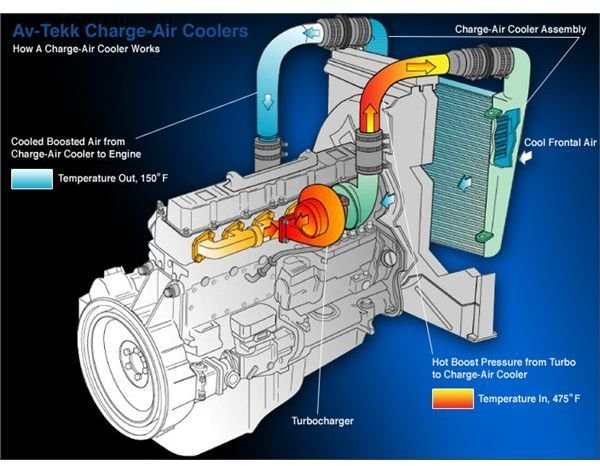
Suggested read: Charge Air Cooler System: Enhancing Engine Performance and Efficiency
Explore resources from the Wireless Power Consortium for specs on charging speed and safety. Use certified product finders to locate UL certified options with overcharge protection.
Qi Certification Resources
The Wireless Power Consortium offers detailed Qi certification guidelines for safe power transfer. Download their specifications to understand voltage and amperage limits. These docs help verify if a wireless charger meets industry standards.
Official Qi sites list testing protocols for manufacturers. Check for compliance badges on Qi chargers before purchase. This ensures reliable performance with devices like Samsung or Xiaomi phones.
Certified product finders simplify shopping for MagSafe chargers and pads. Filter by charging wattage such as 10W or 15W for quick top-ups. Real-world use shows less heat buildup in certified units.
Testing Tools and Product Finders
Use independent testing tools to measure output current on wireless pads. Apps simulate load tests for charging speed accuracy. Compare results against claimed 15W or 20W ratings.
Qi-enabled product finders catalog certified wireless chargers by brand like Anker or Belkin. Search for iPhone chargers or Android chargers with magnetic alignment. These tools highlight multi-device stands.
Hands-on testing reveals pros like cable-free desks and cons such as slower speeds than USB-C chargers. Pair with power banks for travel. Always confirm CE certified status for global use.
Wireless Power Consortium Specifications
Consortium specs define Qi charger baselines for 5V input and higher wattage extensions. Review docs for Power Delivery integration in advanced models. This guides choices for tablets or earbuds.
Key features include temperature control and short circuit protection. Specs support magnetic chargers like MagSafe for secure placement. Follow guidelines for optimal coil alignment.
- Baseline Qi: Up to 5W charger for basic needs.
- Extended Power Profile: Enables 15W wireless for faster charging.
- Magnetic variants: Improve efficiency on charging stands.
These resources build confidence in wireless charger quality across charger types.
6. MagSafe: Apple’s Magnetic Upgrade
Magnets solve wireless charging’s biggest problem: misalignment. Users often fumbled with Qi chargers, sliding phones around on pads to find the sweet spot. This led to slow charging or no charge at all, frustrating daily routines.
Suggested read: Silver Charger Plates in Action: 5 Real-World Case Studies That Prove Their Impact on Events and Hospitality
Picture rushing to top up your iPhone charger before a meeting, only for the phone to slip off the wireless pad. Early Qi charger experiences filled forums with complaints about charging port woes turned wireless nightmares. Apple saw this gap in the charger type market.
Enter MagSafe charger, Apple’s engineering fix with built-in magnets for a perfect snap-on fit. It aligns coils precisely, boosting efficiency over standard wireless chargers. Now, placement feels effortless every time.
Real-world use shines in cars with vent mount chargers or desks with charging stands. Pair it with a 20W charger via USB-C for fast charging speeds. This magnetic charger upgrade transforms Apple charger reliability.
7. Qualcomm Quick Charge: Fast Power Tech
Quick Charge 2.0 hit phones in 2014; version 5 appeared in 2020. This QC charger technology from Qualcomm enables fast charging through smart voltage and current adjustments. It works with many Android charger setups using USB-A or USB-C charger ports.
QC protocols negotiate power via voltage/frequency signaling between charger and device. Early versions like QC 2.0 boost voltage to 9V or 12V from the standard 5V. This dynamic process supports up to 18W charging speed on compatible smartphone charger devices.
From QC 3.0 onward, dynamic power management algorithms fine-tune voltage in 200mV steps for efficiency. QC 4.0 adds safeguards like temperature control to prevent overheating. Later iterations work together with Power Delivery for broader Type-C charger compatibility.
QC 5 supports up to 100W with advanced USB 3.1 and USB4 features, ideal for laptop charger needs. Use QC charger cables rated for high wattage, like 30W or 65W, to avoid bottlenecks. Always check device specs for quick charge support before pairing with a wall charger.